


Best Responsive Website Themes 2026
- By themesbay
- Update: October 12, 2026
- 14 Mins read
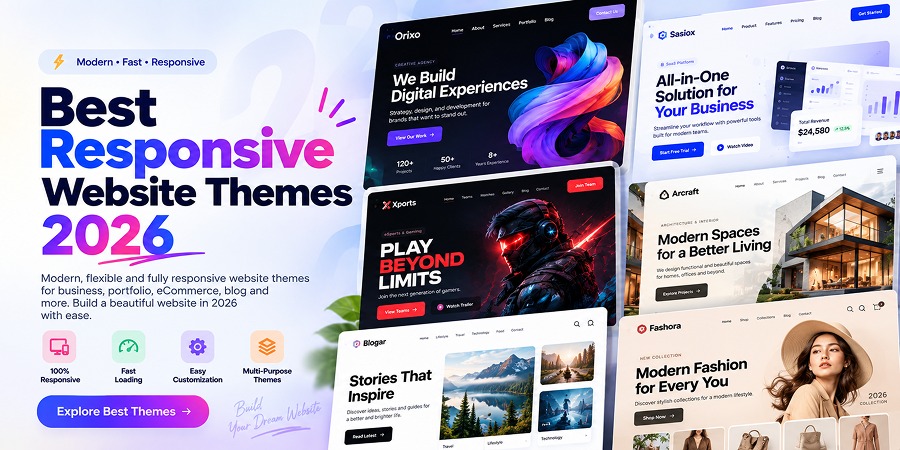
10 Best Responsive Website Themes 2026 – Build a Mobile-Friendly Website
Having a responsive website is no longer optional. In 2026, people visit websites from smartphones, tablets, laptops, desktops, and devices with many different screen sizes.
A professional website should automatically adapt to these different screens while keeping its content readable, navigation accessible, and overall user experience consistent.
This is why choosing one of the best responsive website themes is an important step when building a new WordPress website.
In this guide, we have selected 10 of the best responsive website themes for 2026 for businesses, agencies, portfolios, startups, blogs, eCommerce stores, educational websites, and other modern projects.
What Is a Responsive Website Theme?
A responsive website theme is designed to automatically adjust its layout based on the size of the visitor’s screen.
Instead of creating completely separate websites for desktop and mobile users, responsive design allows the same website to adapt across different devices.
A responsive theme should provide a good experience on:
- Desktop computers
- Laptops
- Tablets
- Smartphones
- Different screen resolutions
Elements such as navigation menus, images, typography, columns, buttons, forms, and content sections should adjust appropriately when the available screen space changes.
Why Responsive Design Matters in 2026
Modern users expect websites to work smoothly regardless of the device they use.
If visitors need to zoom in to read text, scroll horizontally, or struggle to tap buttons on mobile devices, they may leave the website before taking any meaningful action.
A responsive website can help provide:
- Better Mobile Experience: Content becomes easier to browse on smaller screens.
- Consistent User Experience: Visitors can access the same website across different devices.
- Better Readability: Typography and layouts can adapt to available screen space.
- Easier Navigation: Responsive menus can improve usability on mobile devices.
- Flexible Content: Images, grids, and sections can resize according to the screen.
- Better Conversion Opportunities: Clear buttons and forms are easier to use when properly optimized for mobile.
1. Astra – Responsive Multipurpose WordPress Theme
Best for: Businesses, agencies, blogs, portfolios, and WooCommerce websites
Astra is one of the most widely used multipurpose WordPress themes and provides a flexible foundation for creating responsive websites.
Its broad starter-template ecosystem makes it suitable for many different industries, from small business websites and agencies to blogs and online stores.
Key Features:
- Responsive layouts
- Lightweight foundation
- Large collection of starter templates
- WooCommerce compatibility
- Gutenberg compatibility
- Works with popular page builders
- Flexible customization options
Astra can be particularly useful when you need a multipurpose responsive theme that can be adapted to different types of projects.
2. Kadence – Modern Responsive WordPress Theme
Best for: Business websites, service companies, blogs, and online stores
Kadence provides a modern WordPress website-building experience with extensive controls for common design elements.
It works particularly well with block-based WordPress workflows and can be customized for many types of websites.
Key Features:
- Responsive website layouts
- Header and footer customization
- Global typography controls
- Global color settings
- WooCommerce support
- Gutenberg-friendly workflow
- Starter templates
For users who prefer the native WordPress block editor, Kadence provides a strong foundation for creating responsive websites.
3. GeneratePress – Lightweight Responsive WordPress Theme
Best for: Performance-focused websites, developers, blogs, and businesses
GeneratePress is known for providing a lightweight foundation for WordPress websites.
Instead of loading a large number of visual features by default, it focuses on providing a clean starting point that developers and website owners can customize according to their requirements.
Key Features:
- Responsive design
- Lightweight architecture
- Flexible layout controls
- Gutenberg compatibility
- Developer-friendly customization
- WooCommerce support
- Suitable for performance-focused websites
GeneratePress can be particularly attractive to developers who want greater control over their website while keeping the theme foundation relatively lean.
4. Blocksy – Responsive Theme for Modern Websites
Best for: Modern businesses, WooCommerce stores, blogs, and portfolios
Blocksy combines modern visual customization with responsive WordPress layouts.
It provides controls for headers, footers, typography, colors, and layouts while supporting both content-focused websites and online stores.
Key Features:
- Responsive design
- Modern customization interface
- Header and footer builder
- WooCommerce integration
- Gutenberg compatibility
- Flexible website layouts
- Starter site options
Blocksy can work particularly well for users who want extensive design controls without building every component from scratch.
5. Neve – Fast & Responsive WordPress Theme
Best for: Startups, small businesses, agencies, and blogs
Neve is a multipurpose WordPress theme designed to work across different types of websites and devices.
Its flexible structure makes it suitable for startups, professional services, small businesses, agencies, personal websites, and blogs.
Key Features:
- Responsive layouts
- Mobile-friendly design
- Lightweight approach
- Page builder compatibility
- WooCommerce support
- Starter websites
- Flexible customization
Neve can be useful for website owners who need a relatively straightforward responsive foundation for a professional website.
6. OceanWP – Responsive Theme for Business & eCommerce
Best for: Online stores, businesses, portfolios, and service websites
OceanWP is a multipurpose WordPress theme with extensive customization options and WooCommerce functionality.
This makes it particularly useful for businesses that need both professional company pages and online shopping functionality.
Key Features:
- Responsive website design
- WooCommerce integration
- Flexible layout controls
- Page builder compatibility
- Customizable headers
- Business website layouts
- eCommerce-focused options
If you plan to build a responsive website with eCommerce functionality, OceanWP is one option worth exploring.
7. Hello Elementor – Responsive Theme for Elementor Websites
Best for: Elementor users, landing pages, portfolios, and custom websites
Hello Elementor takes a different approach from many multipurpose themes.
It provides a relatively minimal theme foundation designed to work closely with the Elementor website builder.
This gives designers greater freedom to create custom responsive layouts using Elementor’s visual editing tools.
Key Features:
- Responsive foundation
- Built for Elementor
- Minimal theme structure
- Flexible visual design
- Suitable for custom layouts
- Useful for landing pages
- Developer and designer friendly
Hello Elementor can be a practical option when you plan to control most of your website’s design through Elementor.
8. Sydney – Responsive Business WordPress Theme
Best for: Agencies, freelancers, consultants, and small businesses
Sydney provides a professional design direction aimed at business websites.
It can be used by agencies, consultants, freelancers, startups, and service-based companies that need to clearly communicate their services and brand.
Key Features:
- Responsive layouts
- Business-focused design
- Professional service sections
- Customization options
- WooCommerce support
- Portfolio possibilities
- Mobile-friendly layouts
Sydney can provide a practical starting point for companies that want a traditional professional website with responsive functionality.
9. Hestia – Modern Responsive WordPress Theme
Best for: Startups, small businesses, portfolios, and one-page websites
Hestia offers a modern visual style that can work particularly well for smaller websites and businesses that prefer a streamlined presentation.
It can be used for startup websites, professional services, portfolios, and other projects that do not require overly complicated website structures.
Key Features:
- Responsive layouts
- Modern design
- One-page website possibilities
- WooCommerce compatibility
- Page builder support
- Flexible customization
- Suitable for small businesses
10. Ollie – Responsive WordPress Block Theme
Best for: Gutenberg users, block-based websites, blogs, and modern business sites
Ollie is particularly interesting for users who want to build websites using WordPress’s native block-based editing experience.
Unlike traditional themes that depend heavily on a separate page builder, block themes allow more parts of the website to be created and customized using WordPress blocks.
Key Features:
- Responsive layouts
- Block-based website building
- Full Site Editing workflow
- Modern WordPress design approach
- Flexible patterns
- Suitable for Gutenberg users
- No traditional page builder required
For website owners interested in the modern WordPress block ecosystem, Ollie provides an interesting responsive option.
What Makes a Website Truly Responsive?
Installing a responsive WordPress theme is only the beginning. Your own content and customizations can still create mobile usability problems.
A truly responsive website should consider:
- Flexible Layouts: Sections should adapt rather than simply shrink.
- Responsive Images: Images should display at appropriate sizes across different screens.
- Readable Typography: Text should remain comfortable to read without requiring users to zoom.
- Touch-Friendly Buttons: Buttons and links should be easy to tap on smartphones.
- Responsive Navigation: Large desktop navigation should adapt appropriately for smaller screens.
- Flexible Forms: Contact, checkout, login, and registration forms should remain usable on mobile.
- Responsive Tables: Large tables should not break the mobile layout.
- Optimized Media: Videos and embedded content should adapt to the available screen width.
Responsive Design vs Mobile-Friendly Design
The terms responsive and mobile-friendly are often used together, but there can be an important distinction.
A mobile-friendly website works reasonably well on smartphones. A responsive website goes further by dynamically adapting its layout across a wide range of screen sizes.
Modern websites should ideally consider:
- Small smartphones
- Large smartphones
- Portrait tablets
- Landscape tablets
- Small laptops
- Desktop monitors
- Large desktop displays
The goal is not simply to make the desktop website smaller. The goal is to create a layout that remains usable and visually balanced across different devices.
Responsive Themes for Business Websites
For a business website, responsive design can directly affect how easily potential customers interact with your company online.
A responsive business theme should provide mobile-friendly layouts for:
- Services
- About pages
- Contact forms
- Team members
- Testimonials
- Case studies
- Pricing
- Calls to action
Pay particular attention to your contact buttons, phone numbers, forms, and primary calls to action on smaller screens.
Responsive Themes for WooCommerce Websites
Responsive design becomes even more important when visitors are purchasing products from your website.
A responsive WooCommerce theme should make the entire shopping journey easy to use on smartphones.
This includes:
- Product browsing
- Product galleries
- Product variations
- Add-to-cart buttons
- Shopping cart
- Checkout forms
- Customer accounts
- Product search
- Product filters
Before launching a WooCommerce website, always test the complete purchase journey on multiple mobile screen sizes.
Responsive Themes for Creative Agencies & Portfolios
Creative websites often contain large images, animations, portfolios, project galleries, and experimental layouts.
These elements can look impressive on desktop screens but need additional attention on mobile devices.
A responsive portfolio theme should ensure that:
- Project images scale properly
- Portfolio grids adapt to smaller screens
- Typography remains readable
- Animations do not interfere with navigation
- Project descriptions remain accessible
- Contact CTAs are easy to reach
For creative professionals, maintaining visual impact without sacrificing usability is especially important.
How to Test Whether a WordPress Theme Is Responsive
Before purchasing or installing a theme, open its live demo and test it across different screen sizes.
You can check:
- Navigation menu behavior
- Hero section
- Typography
- Images
- Buttons
- Forms
- Columns and grids
- Footer layout
- Shop and checkout pages
Do not test only the homepage. Check important inner pages as well.
You can also resize your browser window or use browser developer tools to preview different device widths.
How Responsive Design Can Improve User Experience
Responsive design is ultimately about creating a better experience for visitors.
When a website adapts correctly, users can focus on the content instead of struggling with the interface.
A well-designed responsive website can provide:
- Easier navigation
- Better content readability
- Clearer calls to action
- More usable forms
- Better product browsing
- Consistent branding
- Smoother interaction across devices
A responsive website should feel intentionally designed for each screen size rather than simply compressed from a desktop layout.
How to Choose the Best Responsive Website Theme in 2026
Before selecting a theme, consider the actual requirements of your project.
Ask yourself:
- What type of website am I building?
- Will I use Elementor or Gutenberg?
- Do I need WooCommerce?
- Do I need portfolio functionality?
- Will the website contain large images or videos?
- How much customization do I need?
- Does the theme provide responsive controls?
- Does the mobile navigation work well?
- Is the theme actively maintained?
- Does the theme fit my long-term website requirements?
There is no single responsive theme that is perfect for every website. The best choice depends on your project’s design, functionality, editing workflow, and performance requirements.
Final Thoughts
Choosing one of the best responsive website themes in 2026 can give your project a strong foundation across desktop, tablet, and mobile devices.
Themes such as Astra, Kadence, GeneratePress, Blocksy, Neve, OceanWP, Hello Elementor, Sydney, Hestia, and Ollie provide different approaches depending on how you prefer to build and customize your WordPress website.
However, remember that installing a responsive theme does not automatically guarantee a perfect mobile experience.
You should still test your content, typography, images, menus, forms, buttons, WooCommerce pages, and custom sections across multiple screen sizes before launching.
The best responsive website is one that combines professional design, performance, accessibility, easy navigation, and a consistent user experience across devices.
Discover Responsive Website Themes on ThemesBay
Looking for a professional theme or template for your next website?
Explore ThemesBay to discover responsive WordPress themes, HTML templates, SaaS templates, agency templates, portfolio designs, and other digital products for modern website projects.
Find the right responsive website theme and start building your next professional website with ThemesBay.